默认打开Router Os 监控graphs显示是空白的,如下图
只显示一段文字“ Traffic and system resource graphing”

解决方法很简单,
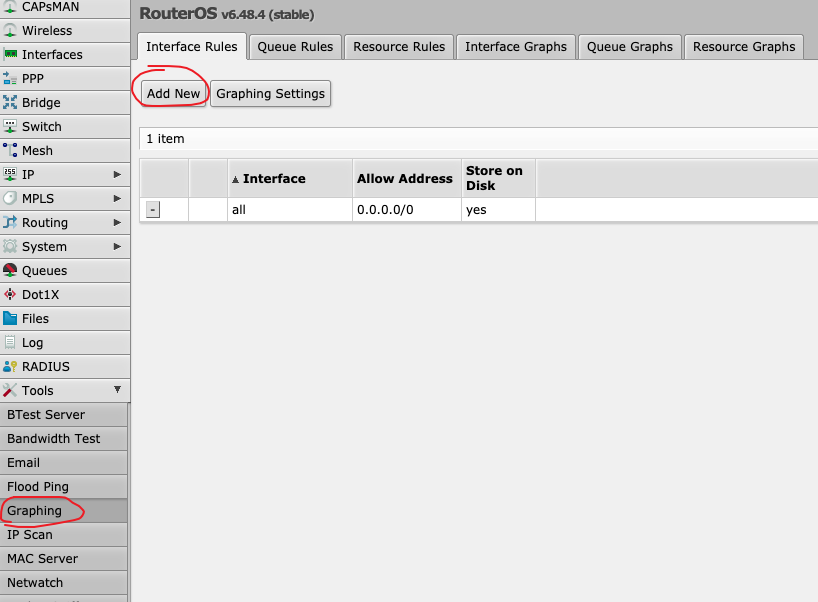
点击Tools->Graphing->Interface Rules,点选+,
加入新的Interface Graphing Rule,Interface可以选任一个网络接口,或是选择all,按OK
如下图
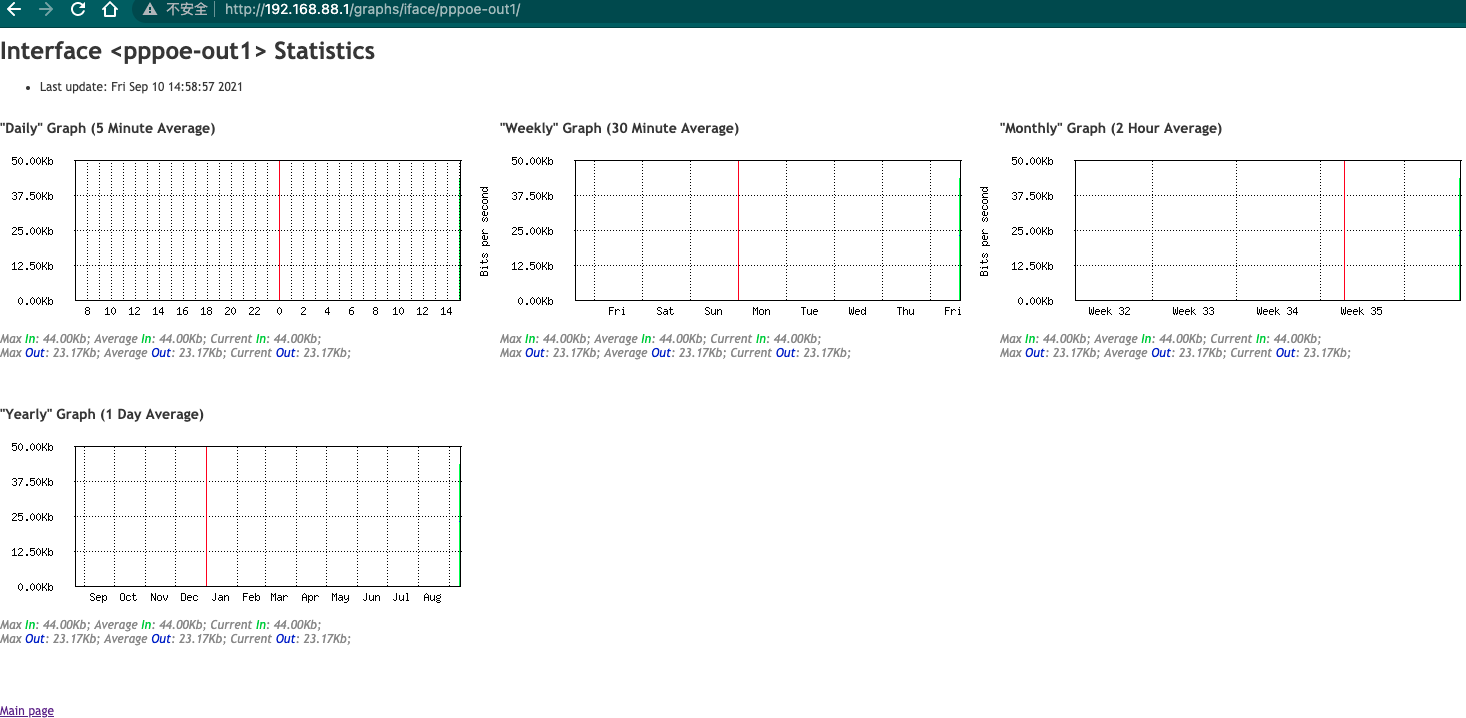
现在再次打开Router Os 监控graphs图表就会显示监控采集的图表了
Friday, Sep 10, 2021 | 1 minute read | Updated at Friday, Sep 10, 2021
默认打开Router Os 监控graphs显示是空白的,如下图
只显示一段文字“ Traffic and system resource graphing”
解决方法很简单,
点击Tools->Graphing->Interface Rules,点选+,
加入新的Interface Graphing Rule,Interface可以选任一个网络接口,或是选择all,按OK
如下图
现在再次打开Router Os 监控graphs图表就会显示监控采集的图表了